

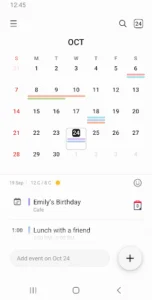
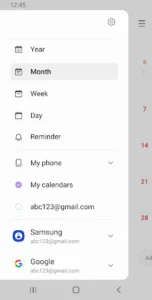
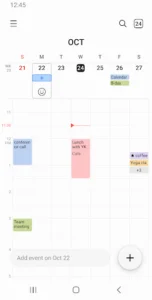
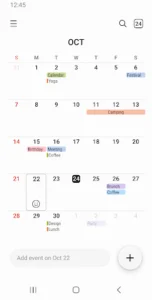
Samsung Calendar is a productivity app designed to help users organize and remember their schedules. It allows for the creation of events and tasks, providing tools to manage daily, weekly, monthly, and yearly agendas. A key capability is its support for integrating various calendars, including Google Calendar, enabling users to view all their commitments in one place. The app also offers customizable widgets for home screen decoration and quick access to schedules.
Event and Task Management
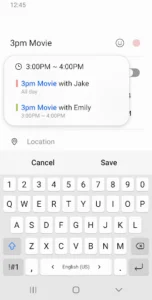
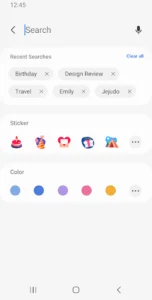
The app allows users to create new events and tasks by tapping a date. When creating an event, users can specify a pattern of recurrence and set the time zone. To help users remember their commitments, the app supports setting up a variety of notifications for each event. Schedules can be managed by adding different calendars, such as Google Calendar, and events within each calendar can be assigned distinct color codes for easy identification.
Display Options and Navigation
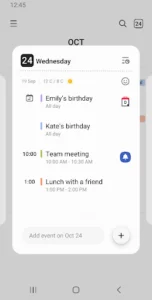
Samsung Calendar provides several ways to view schedules, including year, month, week, day, and task views. Users can switch between these different timeframes with a simple horizontal swipe, facilitating quick navigation through their calendar. Additionally, the app can display weekly weather information directly within the calendar interface, offering a convenient overview of upcoming conditions alongside scheduled events.
Home Screen Widgets
Users can personalize their home screen with several types of widgets provided by Samsung Calendar. These widgets come with adjustable transparency, allowing for seamless integration with the device’s aesthetic. They offer a neat-looking way to display upcoming events and tasks directly on the home screen.
Required and Optional Permissions
To function, Samsung Calendar requires permission to access the device’s Calendar for adding and checking schedules, and Notification permissions to alert users about events. Optional permissions can enhance the app’s utility. Granting Contacts permission allows users to invite attendees to a schedule or display a contact’s birthday. Location permission enables saving location information within a schedule, while Photos and videos permission permits attaching files to schedule entries.














Write a review